The fastest way to take lecture notes is to stop taking most of them. Verbatim note-taking feels productive, but research on note-taking keeps finding the same thing: students who transcribe everything understand less, because their working memory is spent typing instead of thinking. The modern fix is a split: let a device do the capture, so your hand and brain do only the thinking.
The transcription trap
Lectures run at 140–180 words per minute; fast typing is 60–80. You physically cannot keep up, so you triage on the fly — and the things you drop are usually the connective tissue (the "why"), because the facts are easier to type. Result: pages of disconnected fragments and no memory of the argument.
The capture-vs-think method
- Capture layer (automatic): the full lecture is recorded and transcribed live by an app. Every word, timestamped, searchable. This layer needs zero effort from you.
- Thinking layer (you): your notes shrink to three things — ideas in your own words, questions you want answered, and markers ("EXAM: prof said this will be tested"). A lecture's thinking layer fits on one page.
- Review layer (AI-assisted): after class, an AI summary gives structure; your one page of thoughts personalizes it; the transcript backs both with detail on demand.
Classic methods still work — on top of capture
Cornell notes, outlining, mind maps: all of them get better when they don't have to double as a transcript. Use Cornell's cue column for your questions, and let the recording be the "notes" column.
The fast note-taking setup with Clearly
- Start a Clearly recording at the top of class — live transcription (and translation if you want it) runs automatically.
- Keep your notebook or notes app to one page per lecture: ideas, questions, exam markers.
- Photograph the whiteboard or key slides with the in-app Photo button — images attach to that moment in the transcript.
- Import the professor's slides to view them alongside the captions instead of copying them.
- After class, read the auto-generated AI summary, merge it with your one page, and you have better notes in 10 minutes than an hour of typing used to produce.
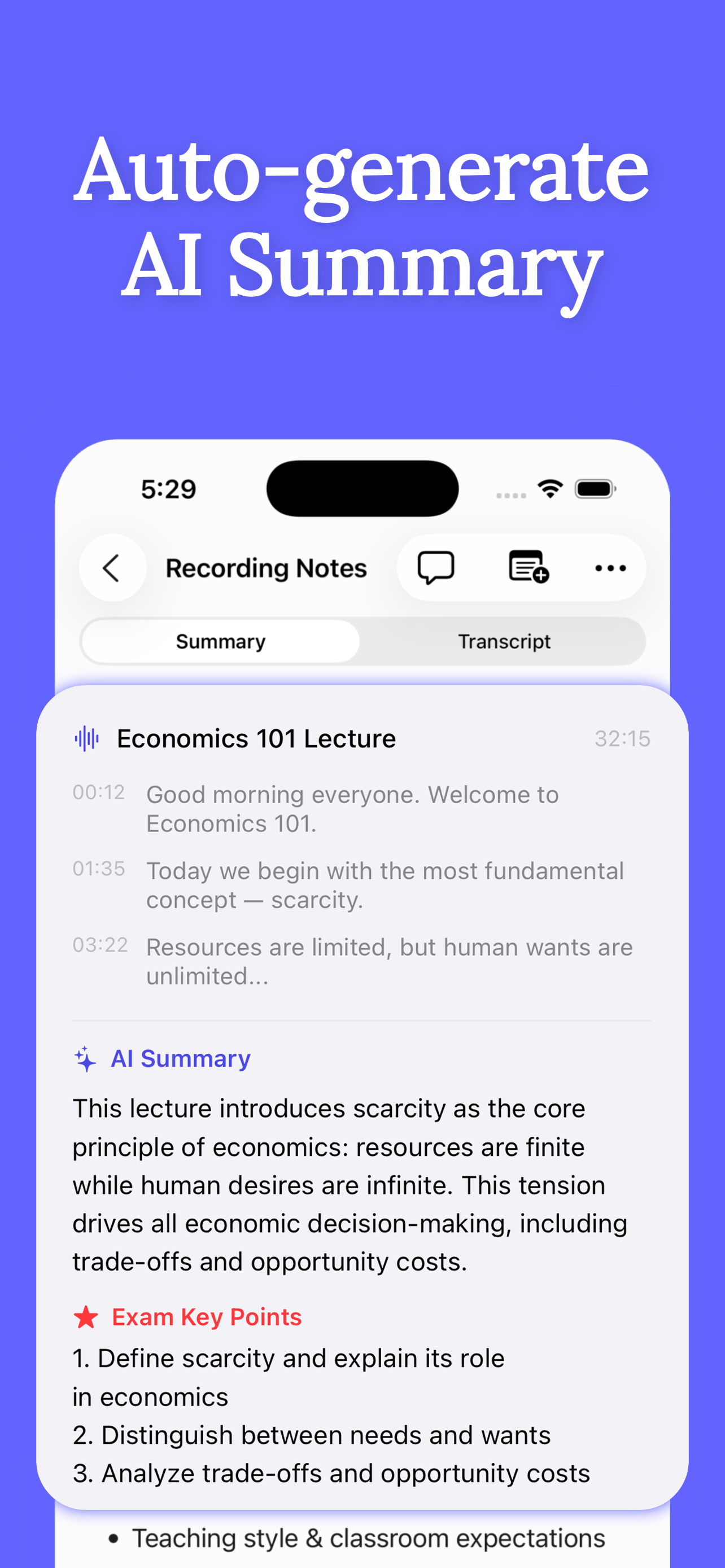
If you're skeptical: try it for one week in one course. Compare your one-page-plus-AI-summary notes against your old verbatim pages — then check which version you actually revise from before the next quiz.
Get Clearly free on the App Store
Live transcription, real-time translation in 75+ languages, AI summaries and an AI tutor — on iPhone & iPad.