 Clearly
The AI lecture note taker that transcribes and translates your classes — live
Record any lecture and watch it turn into text as your professor speaks, with real-time translation in your native language, an AI summary of every key point, and an AI tutor that helps you prep for exams.
Why Clearly
Everything a lecture recorder should have — plus a translator and a tutor
Clearly combines a lecture recorder, live speech-to-text transcription, real-time translation and AI study notes in one app, so nothing your professor says gets lost.
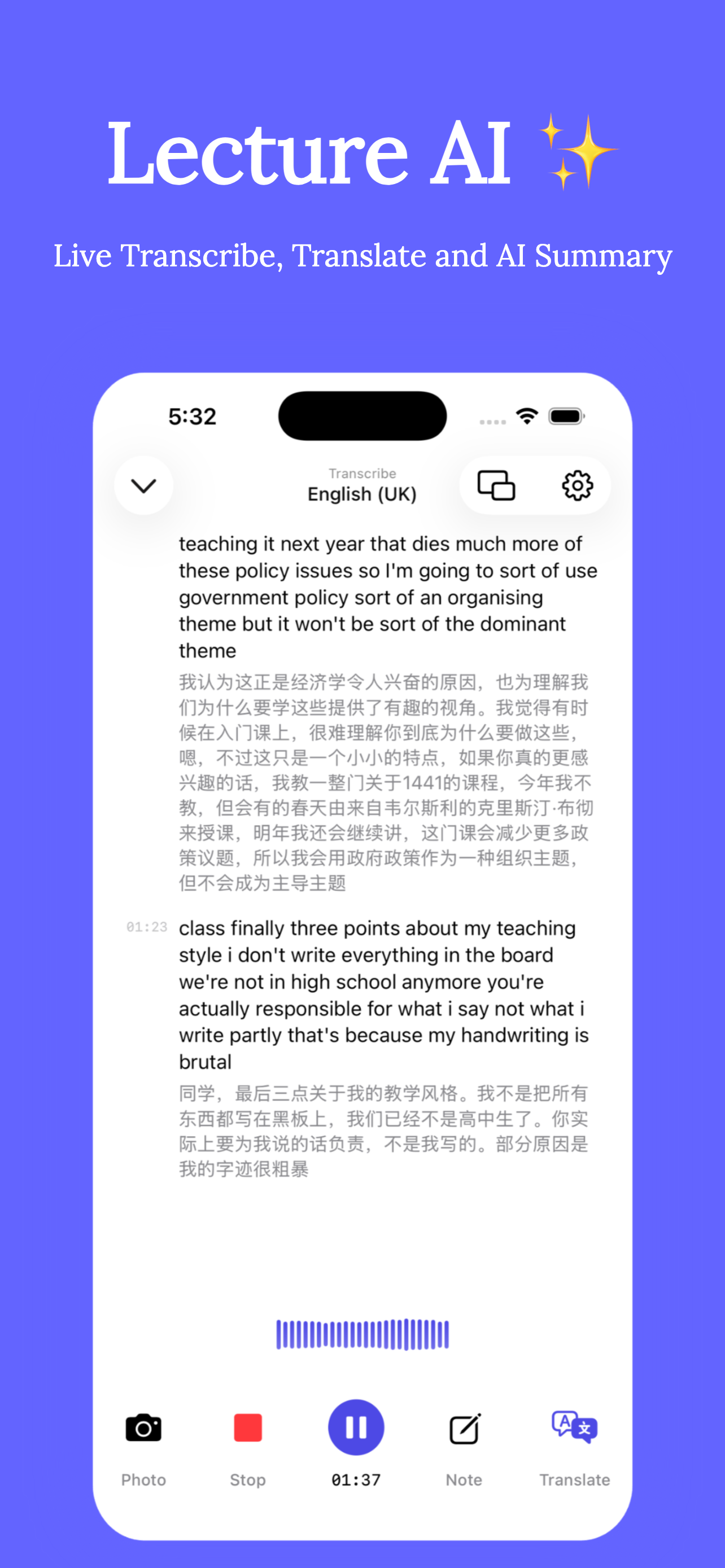
Live transcription & translation
See a live transcript while your professor speaks, with an instant translation underneath — accurate accent recognition and academic-term support included.
Lecture recorder & playback
Record the full lecture and replay any moment alongside its bilingual transcript. Never worry about missing something in class again.
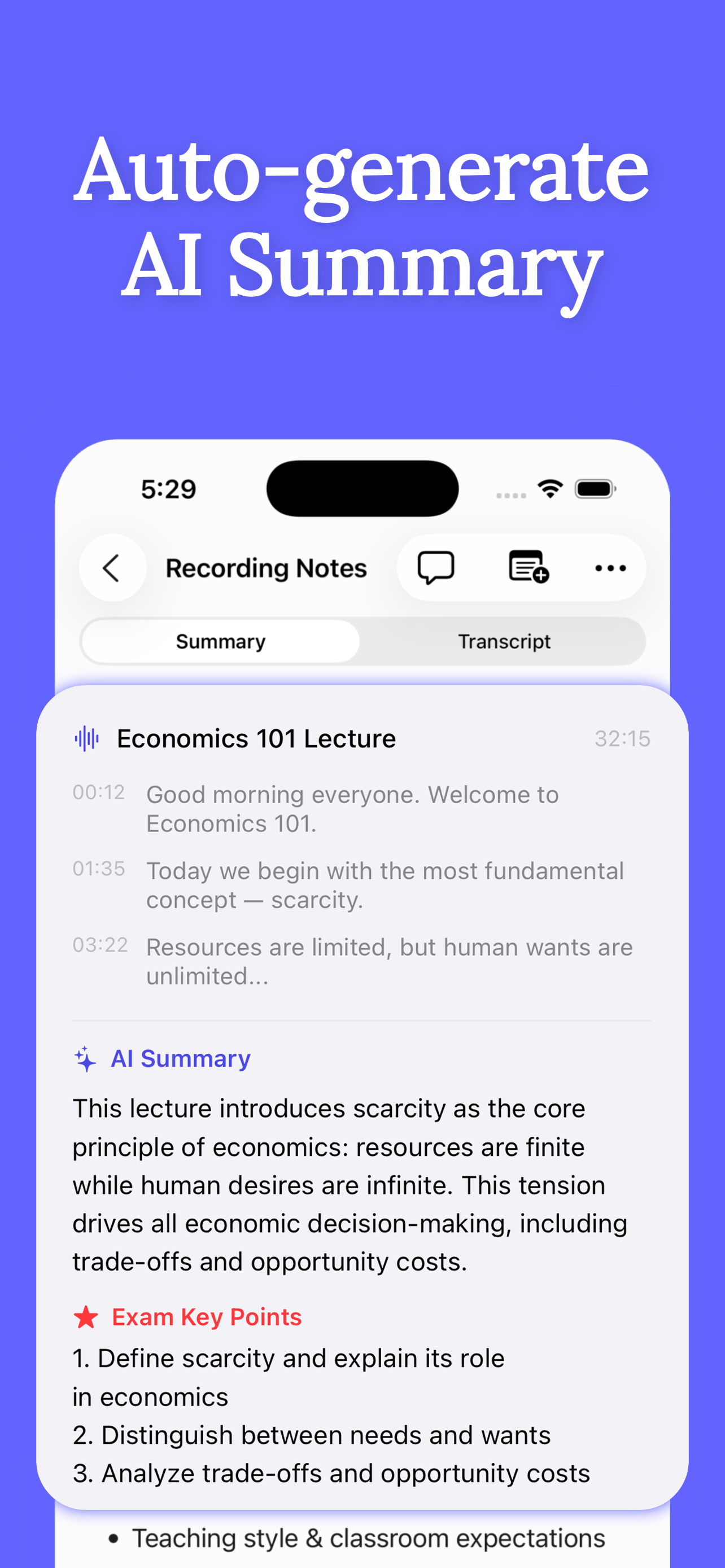
AI summary in seconds
Auto-generate key points, core concepts and exam-focused notes from every recording — including a ready-made Exam Key Points list.
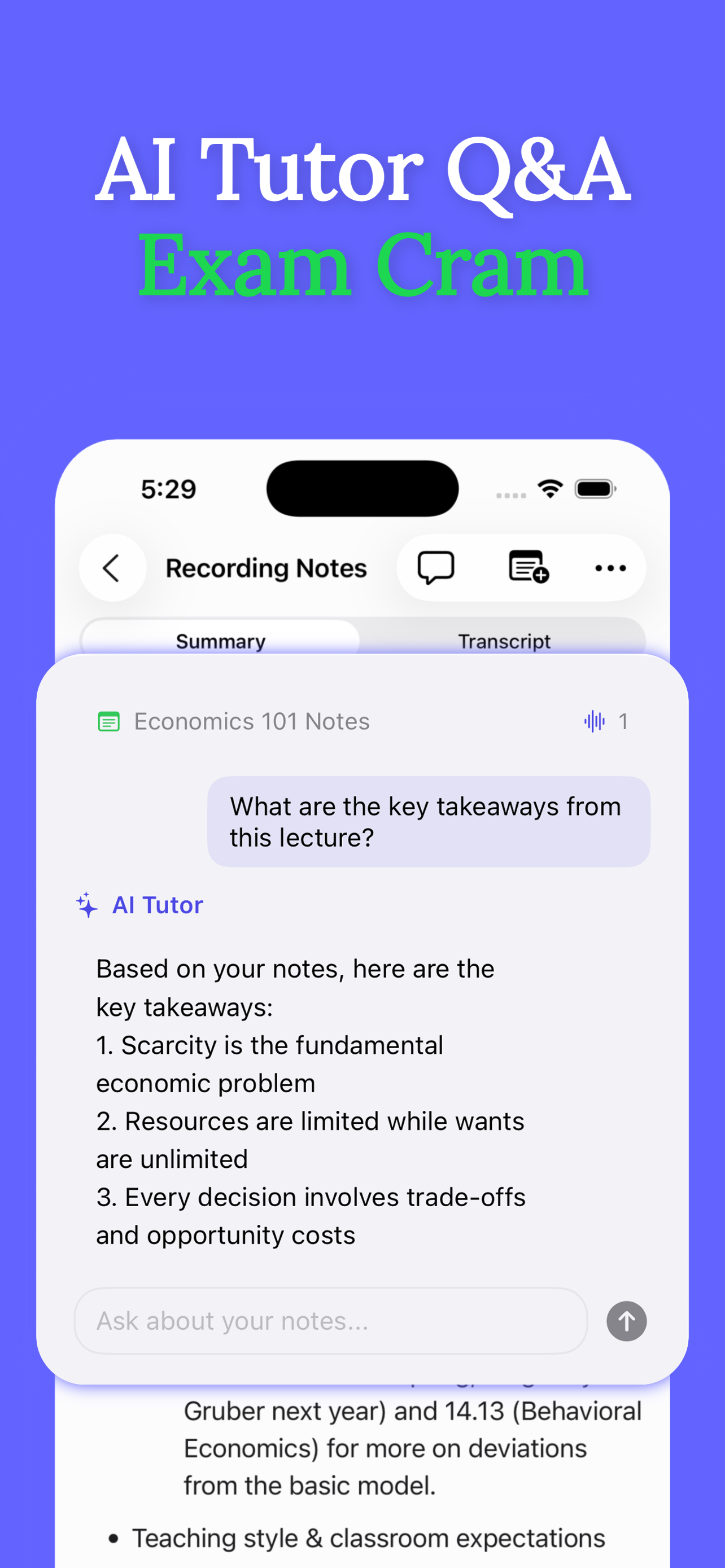
AI tutor for exam Q&A
Ask questions and get answers grounded in your own lecture transcripts, notes and imported materials. Cram smarter, not longer.
Slides & documents side-by-side
Import slides and PDFs and view them next to the live captions. Floating-window mode keeps captions visible while you use other apps.
75+ languages
Lectures, seminars, academic talks and training sessions — transcribed and translated across 75+ languages for students studying abroad. See the language list →
New: Group Discussion mode
Turn a room full of voices into clear, shareable notes
Record seminars, study groups and team discussions. Clearly separates speakers in the live transcript, lets you replace Speaker 1 with real names, and builds an AI summary around what the group decided and who needs to do what.
Speaker-aware transcript
Different voices stay separated and timestamped.
Names that carry through
Rename speakers once across the transcript and summary.
Decisions and action items
AI turns the conversation into notes the group can use.
Share with Group
Export a PDF, with the full transcript only when you choose.
Live translation
Bilingual subtitles for your class — as the professor speaks
Clearly writes down every sentence live and shows an instant translation right underneath it, like subtitles for real life. It stays accurate through American, British, Australian, Indian and Hong Kong accents, keeps pace with fast natural speech, and understands the academic terms of your field.
Pick any pair from 75 supported languages — listen in one, read in the other:
How it works in class: read the real-time lecture translation guide →
See it in action
From live lecture to exam-ready notes
How it works
Three steps from lecture hall to top grades
Record your lecture
Tap record when class starts. Clearly captures the audio and shows a live transcript with real-time translation — import the slides too, if you have them.
Review the AI notes
After class, get an AI summary with key points, concepts and an Exam Key Points list, plus the full bilingual transcript synced to the recording.
Ask the AI tutor
Before the exam, quiz the AI Tutor on your own notes: key takeaways, tricky concepts, likely questions. Everything is grounded in what your professor actually said.
Guides
Study smarter with Clearly
Practical, step-by-step answers to the questions students actually ask — and how to solve each one with Clearly.
How to record a group discussion
Separate speakers, rename them, capture decisions and action items, and share a clean PDF.
Read the guide →How to transcribe a lecture on iPhone
Get a live, accurate speech-to-text transcript of any class — no laptop required.
Read the guide →Real-time lecture translation
Follow any lecture in your native language with live translated captions.
Read the guide →How to record college lectures
Set up clean recordings you'll actually use — and stop re-listening to full classes.
Read the guide →Is it legal to record lectures?
Consent rules, university policies and recording etiquette, explained simply.
Read the guide →Turn recordings into exam notes
Use AI summaries and Exam Key Points to study from lectures in minutes, not hours.
Read the guide →Chat with your lecture notes
How an AI tutor grounded in your own notes beats a generic chatbot for exam prep.
Read the guide →Can't understand lectures in English?
A survival guide for international students — during class and after it.
Read the guide →How to take lecture notes faster
Stop writing everything down: capture the audio, think in class, review smart.
Read the guide →Comparing tools? See how Clearly stacks up as a Turbolearn (Turbo AI) alternative →
FAQ
Frequently asked questions
Can Clearly record a group discussion and tell speakers apart?
Is there an app that transcribes lectures in real time?
Can Clearly translate my professor's lecture live?
How do I record a lecture on my iPhone?
Is it legal to record lectures at university?
Can AI summarize my lecture recordings for exams?
Can I ask AI questions about my own lecture notes?
I'm an international student and struggle to follow lectures in English. Will Clearly help?
Is Clearly free?
Is Clearly a good Turbolearn (Turbo AI) alternative?
Does Clearly work with my lecture slides?
Never lose a lecture again
Download Clearly free and walk into your next class with a recorder, a translator, a note taker and a tutor — all on your phone.

Free download · In-app Pro upgrades available · Requires iOS 26 or later